 Cue
Check your practice answers without taking screenshots.
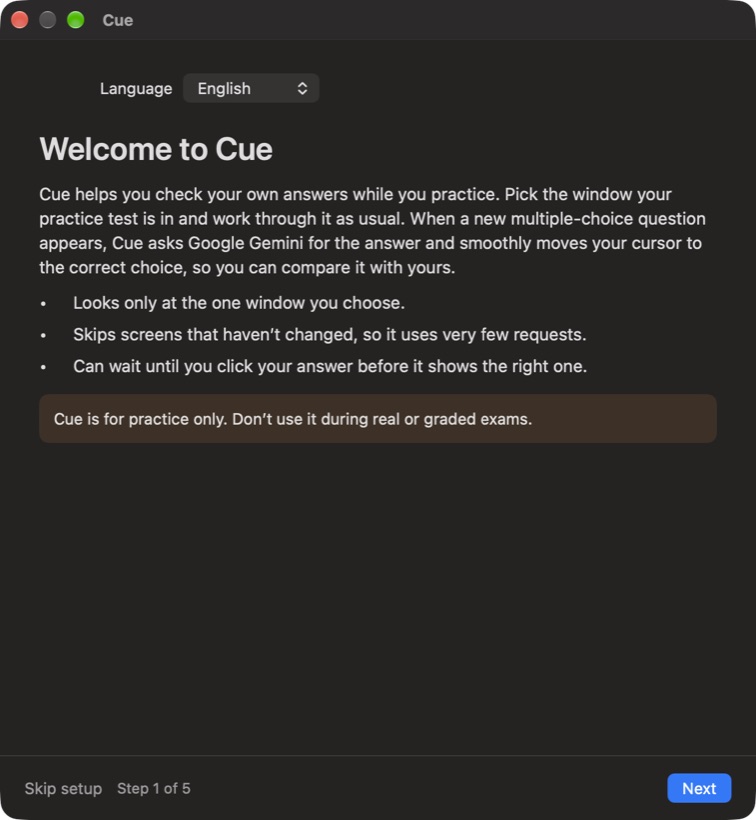
Cue watches the window your practice test is in. When a new multiple-choice question appears, it asks Google Gemini for the answer and smoothly moves your cursor to the correct choice, so you can compare it with yours.
Windows on ARM (Surface Pro X, Snapdragon laptops) · 71 MB
Free. All you need is a free Google Gemini API key.How it works
Pick a window
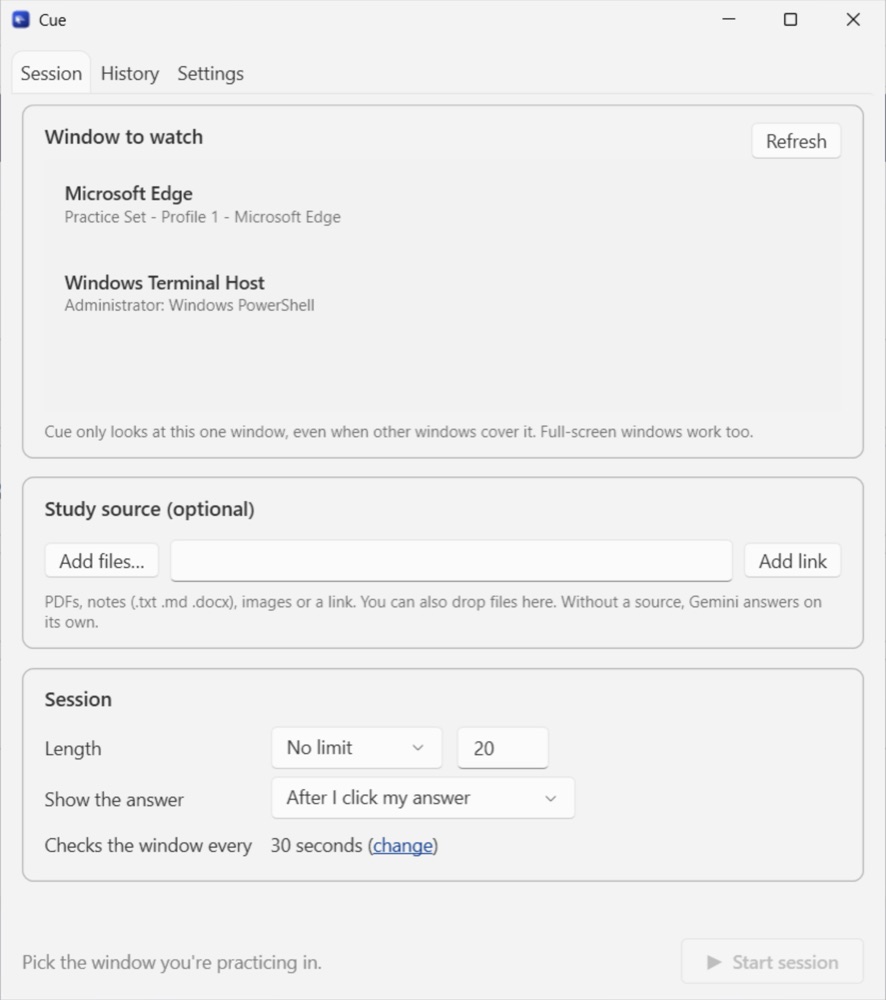
Choose the window with your practice test: a browser tab, a PDF, any app. Cue looks only at that window, even when it's covered or full screen.
Practice as usual
Work through the questions. Cue skips screens that haven't changed, so it uses very few requests, and it never moves the cursor while your hand is on the mouse.
Compare your answer
Click your answer and Cue glides the cursor to the correct one. Every question goes into History with the answer and a short explanation.
Setup
Takes about five minutes. Cue walks you through it on first launch, in English, Uzbek or Russian.
Mac
- Download Cue-Mac.zip and open it. Drag Cue into your Applications folder.
- Open Cue. macOS says it can't check Cue for malware, because Cue isn't from the App Store. Click Done.
- Open System Settings → Privacy & Security, scroll down, click Open Anyway next to the message about Cue, and confirm. You only do this once.
- Follow Cue's setup guide: language, Gemini key, then allow Screen Recording and Accessibility. macOS asks you to quit and reopen Cue after Screen Recording; the guide continues where you left off.
- Cue lives in the menu bar at the top of the screen.
Windows
- Download Cue-Windows-x64.exe (or the ARM version for ARM laptops). It's a single file with no installer: put it somewhere permanent, like Documents.
- If your browser says the file isn't commonly downloaded, choose Keep.
- Double-click it. If Windows shows “Windows protected your PC”, click More info → Run anyway. This appears because Cue isn't code-signed, not because something is wrong.
- Follow Cue's setup guide: language and Gemini key. Windows needs no extra permissions.
- Cue lives in the system tray, next to the clock (click ^ if you don't see it).
Get your free Gemini API key
- Go to aistudio.google.com/apikey and sign in with your Google account.
- Accept the terms if asked, then click Create API key. If it asks for a project, pick the default one.
- Copy the key. It starts with AIza.
- In Cue, paste it into the setup guide (or Settings → Gemini) and click Check key.
Google's Gemini API terms require you to be 18 or older to use the API.
Keep your key to yourself: anyone who has it can use up your daily limit. If it leaks, delete it in AI Studio and create a new one.
Is the free key enough?
Usually, yes. Cue only asks Gemini when the screen changes, which is about 1–2 requests per question. Cue shows today's count in Settings.
| Model | Free requests per day | What that covers |
|---|---|---|
| Flash-Lite (Cue's default) | about 500 | 2–3 one-hour practice tests of 30–40 questions |
| Flash | about 20 | 10–20 questions; better on very hard math |
Google sets these limits for each project, doesn't publish them, and changes them from time to time. Check yours in AI Studio under Rate limits. If you hit the limit, Cue tells you and you can switch models or wait until tomorrow.
Tips
After I click my answer is the best mode for checking yourself: Cue waits for your click before it shows the right choice. Right away shows it as soon as Gemini answers.
Study sources Add a PDF, notes, images or a link to a session and Gemini uses it as the main reference. Keep sources small: big files are sent with every question.
Speed Change how fast the cursor glides in Settings, and use Try the glide to feel it.
Check every Cue checks the window every 30 seconds by default. Lower it to catch new questions sooner; unchanged screens cost nothing.
Questions
What does Cue send, and to whom?
Only a screenshot of the one window you picked, and only when it changes, plus any study sources you add. It goes straight from your computer to Google Gemini using your own key. Nothing is sent to the person who made Cue.
Where is my key stored?
Only on your computer. On Mac it's a file only your user account can read; on Windows it's encrypted with your Windows account.
Can Gemini be wrong?
Yes. Use History to read each explanation, and treat answers marked low confidence with care. For hard math and science, the Flash model is more reliable.
The cursor doesn't move.
On Mac, allow Accessibility for Cue in System Settings → Privacy & Security. On Windows, if your practice app runs as administrator, start Cue as administrator too.
Can I use it in a real exam?
No. Cue is for practice only. Don't use it during real or graded exams.
How do I remove it?
Mac: quit Cue, delete it from Applications, and delete ~/Library/Application Support/Cue. Windows: quit Cue from the tray, delete the .exe, and delete %APPDATA%\Cue.